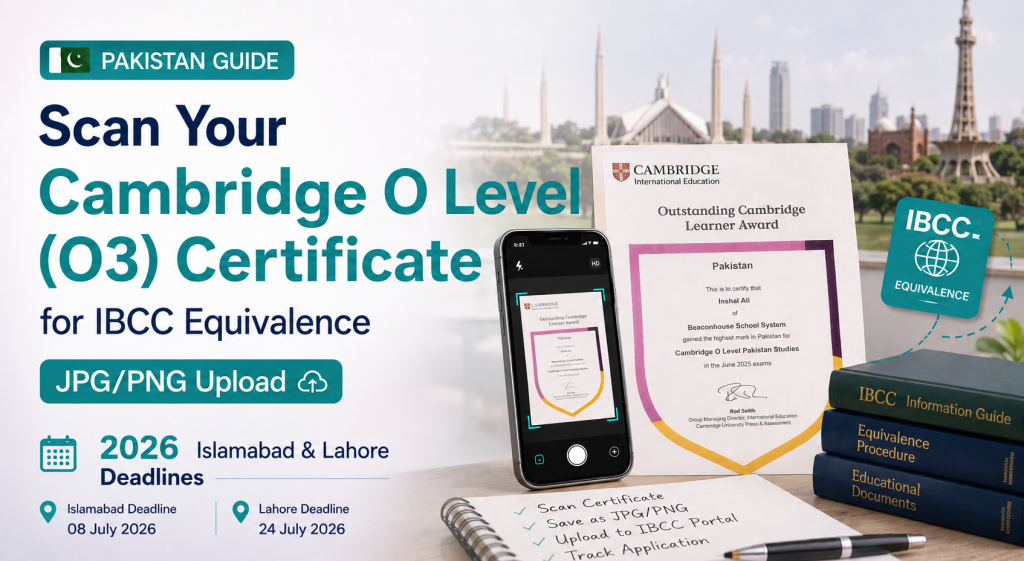
In Pakistan, many international schools follow the Cambridge assessment pathway (Cambridge O Level). When applying to Pakistani universities, students are often required to obtain an IBCC Equivalence (O Level)—a formal conversion of Cambridge O Level results into the Pakistan local education framework, used for admissions eligibility and documentation review.
Information source: This guide is based on the official policies, equivalence requirements, and application guidance published by the Inter Boards Coordination Commission (IBCC), Pakistan—the government authority responsible for issuing Equivalence Certificates for foreign qualifications, including Cambridge O Level. As admission policies and document requirements may change over time, applicants are encouraged to verify the latest information on the official IBCC website before submitting their application: IBCC Official Website
A common pain point is that O Level (O3) results/certificates are frequently paper documents (sometimes mailed or moved between offices), making them easy to misplace or damage. In addition, many local portals accept uploads only in JPG or PNG—not PDF—so you must prepare clean, readable image files.
This CS-style guide provides a practical workflow and checklist to scan, quality-check, name, and submit your O Level (O3) documents for IBCC Equivalence and related university requirements.
Submission deadlines (2026):
- Islamabad campus: 08 July 2026
- Lahore campus: 24 July 2026
Who this guide is for (Pakistan admissions context)
This guide applies if you are:
- A student in Pakistan completing Cambridge O Level at an international school
- Applying for IBCC O Level Equivalence for university admissions
- Required to upload documents in JPG/PNG format
- Trying to reduce risk related to paper originals (loss, wear, re-issuance delays)
What counts as “O Level (O3) documents” for IBCC Equivalence?
Students may refer to an “O3 certificate” as a consolidated record similar to a multi-year high school transcript. In practice, the documents requested typically include:
- Cambridge O Level Statement of Results and/or O Level Certificate
- Any additional pages (multiple sheets, amendments, corrections)
- Both sides (front/back) if the reverse contains notes, verification text, stamps, or security features
Always follow the exact requirements listed on your IBCC/university portal or by your school.
Timeline planning: Islamabad vs Lahore (2026)
Avoid last-minute re-scans and upload failures by working backwards from your campus deadline.
Islamabad (deadline: 08 July 2026)
- Target 01 July 2026: scanning, naming, and review completed
- Target 06 July 2026: final upload + save submission confirmation
Lahore (deadline: 24 July 2026)
- Target 17 July 2026: scanning, naming, and review completed
- Target 22 July 2026: final upload + save submission confirmation
If the portal requires JPG/PNG, your deliverable is an image set (not a PDF)
When the portal only accepts images:
- Export one image per page (and per side if applicable)
- Maintain consistent naming and page order
- Make it easy for reviewers to verify the document set quickly
This approach is more reliable than combining multiple pages into one long image, which often becomes unreadable when auto-resized by portals.
CS scanning quality standard (IBCC/university review-ready)
Your scan should be not just “visible,” but verification-ready. Reviewers typically need to clearly read:
- Full name (matching your application profile)
- Subjects and grades
- Cambridge identification/issuing details (where present)
- Dates, candidate/roll identifiers (if printed)
- Stamps, signatures, or security background (where applicable)
Before scanning: setup to reduce rework
- Use even lighting; avoid overhead glare on glossy/security paper
- Flatten the document corners to prevent shadows
- Use a clean, contrasting background for better edge detection
After scanning: 4 mandatory checks (for every page)
- Full-page capture: all edges and corners visible; no cropped headers/footers
- Correct orientation: upright, readable, not sideways/inverted
- Legibility at zoom: readable at 200–300% (subjects/grades must remain sharp)
- No glare/washed-out areas: stamps and security zones must remain visible
How to organize and “compile” your O Level (O3) images: naming and order
The most reliable way to “compile” documents for an image-only portal is to use a consistent naming convention that automatically sorts in the correct sequence.
Recommended filename template
- OLEVEL_O3_YourName_Page01.jpg
- OLEVEL_O3_YourName_Page02.jpg
- OLEVEL_O3_YourName_Page03.jpg
- OLEVEL_O3_YourName_Back.jpg (if the reverse side contains information)
If your portal requests subject-wise uploads:
- OLEVEL_Mathematics_YourName.jpg
- OLEVEL_English_YourName.jpg
Naming principle: include document type + applicant name + page number/subject. Avoid generic filenames such as IMG_001.jpg or finalscan.jpg.
Common reasons uploads get rejected (and how to avoid them)
- Missing pages or missing back side
- Over-cropped scans (cutting off issuance details, page margins, or stamps)
- Blurry subject/grade lines
- Glare over stamps/security patterns
- Incorrect format (PDF/HEIC instead of JPG/PNG)
- Incorrect sequence (Page02 uploaded before Page01)
Copy/paste: Pre-upload checklist (CS-style)
- All required O Level (O3) pages scanned (including back side if applicable)
- Full borders visible; nothing cropped
- Text is readable at 200–300% zoom (name/subjects/grades/issuance details)
- No glare or heavy shadows
- Exported as JPG or PNG (not PDF/HEIC)
- Filenames include YourName + Page01/Page02 (or subject)
- Files are ordered correctly for upload
- Backups saved locally and in cloud storage
FAQ (Pakistan / IBCC Equivalence)
1) I only have the Cambridge Statement of Results (no certificate yet). Can I apply for IBCC Equivalence?
It depends on the current IBCC/university portal requirements. Some workflows accept a Statement of Results as an interim document, while others require the final certificate. If your portal allows multiple uploads, submit the official documents you currently have and follow the portal’s checklist precisely.
2) Why does the portal require JPG/PNG instead of PDF? Can I merge everything into one long image?
Many local systems are configured for image attachments. Avoid long merged images: portals often auto-resize them, making grades unreadable. The safest method is one page per image, properly named and ordered.
3) Should I use JPG or PNG?
- Choose JPG when you need smaller file sizes to meet portal limits.
- Choose PNG when fine details (small text, stamps, security backgrounds) must be preserved—note PNG files can be larger.
Pick the format that stays legible while complying with upload constraints.
4) Should I scan in color or black-and-white?
Prefer color. Stamps, signatures, and security patterns can lose detail in black-and-white, increasing the risk of rejection.
5) How much margin should I keep around the document?
Keep the entire page visible. It’s better to include extra margin than to cut off any issuance information, stamps, or edge elements used for verification.
6) My paper documents may be mailed and could be lost. How do I reduce risk?
Scan early, maintain a labeled backup folder (device + cloud), and save your submission confirmation (screenshot/receipt). This ensures you can re-submit quickly if needed.
7) How do I know if my scan quality is “good enough”?
Do a reviewer-style check: open each image and zoom to 200–300%. If you struggle to read subjects/grades, the reviewer likely will too—re-scan before uploading.
Summary
For Pakistan-based applicants needing IBCC Equivalence (O Level) with JPG/PNG-only uploads: scan each O Level (O3) page to a verification-ready standard, export as individual JPG/PNG images, name files with page order, and submit ahead of the 08 July 2026 (Islamabad) or 24 July 2026 (Lahore) deadline.
References
- Inter Board Committee of Chairmen (IBCC), Pakistan — Official Equivalence Certificate information, application procedures, document requirements, and announcements.
- Official IBCC website: Inter Boards Coordination Commission (IBCC) – The Inter Boards Coordination Commission (IBCC), reconstituted in April 2023 through the IBCC Act (Act XIII of 2023), is a national body under the auspices of the Ministry of Federal Education and Professional Training (MoFE&PT) dedicated to enhancing secondary and higher secondary education standards across Pakistan. Established in 1972 as the Inter Boards Committee of Chairmen, the IBCC serves as a vital platform for the heads of examination boards across the country. It collaborates with both local and international institutions to set unified policies and standards in academic evaluation, examination, and assessment.
- IBCC Equivalence Portal: https://equivalence.ibcc.edu.pk/
کی آخری تاریخیں
پاکستان میں بہت سے بین الاقوامی اسکول O level کے تعلیمی راستے کے مطابق پڑھاتے ہیں۔ جب آپ پاکستانی یونیورسٹیوں میں داخلے کے لیے درخواست دیتے ہیں تو اکثر طلبہ سے IBCC Equivalence (O level) لینا ضروری ہوتا ہے—یعنی O level کے نتائج کو پاکستان کے مقامی تعلیمی ڈھانچے کے مطابق باضابطہ طور پر برابر کیا جاتا ہے، تاکہ داخلے کی اہلیت اور دستاویزات کی جانچ ممکن ہو سکے۔
معلومات کا ماخذ: یہ رہنما پاکستان کی سرکاری اتھارٹی IBCC کی جانب سے جاری کردہ سرکاری پالیسیوں، equivalence کی ضروریات، اور درخواست دینے کی ہدایات کی بنیاد پر تیار کیا گیا ہے۔ چونکہ داخلہ پالیسی اور دستاویزاتی تقاضے وقت کے ساتھ بدل سکتے ہیں، اس لیے درخواست دہندگان کو جمع کرانے سے پہلے IBCC کی سرکاری ویب سائٹ پر تازہ ترین معلومات لازماً چیک کرنے کی ترغیب دی جاتی ہے۔
جمع کرانے کی آخری تاریخیں (2026)
- اسلام آباد کیمپس: 08 July 2026
- لاہور کیمپس: 24 July 2026
یہ رہنما کن کے لیے ہے؟
یہ رہنما آپ کے لیے مفید ہے اگر آپ:
- پاکستان میں O level مکمل کر رہے ہیں
- یونیورسٹی داخلے کے لیے IBCC Equivalence (O level) کے لیے درخواست دے رہے ہیں
- دستاویزات JPG/PNG کی صورت میں اپ لوڈ کرنا لازم ہے
- کاغذی اصل دستاویزات کے گم/خراب ہونے کے خطرات کم کرنا چاہتے ہیں
IBCC Equivalence کے لیے “O level (O3) دستاویزات” کیا ہوتی ہیں؟
بعض طلبہ “O3 سرٹیفکیٹ” کو ایک مجموعی ریکارڈ سمجھتے ہیں، لیکن عملی طور پر عموماً درج ذیل دستاویزات مانگی جاتی ہیں:
- O level نتائج کی سرکاری فہرست اور/یا O level سرٹیفکیٹ
- کوئی بھی اضافی صفحات (اگر متعدد شیٹس ہوں، تبدیلیاں یا درستگیاں ہوں)
- اگر پچھلی طرف نوٹس، تصدیقی متن، مہر یا حفاظتی نشانیاں ہوں تو دونوں رخ (اگلا/پچھلا)
ہمیشہ IBCC یا یونیورسٹی کے آن لائن نظام، یا اپنے اسکول کی دی ہوئی عین ہدایات کے مطابق چلیں۔
وقت کی منصوبہ بندی: اسلام آباد بمقابلہ لاہور (2026)
آخری وقت میں دوبارہ اسکین کرنے اور اپ لوڈ ناکام ہونے سے بچنے کے لیے اپنی آخری تاریخ سے پیچھے کی طرف منصوبہ بنائیں۔
اسلام آباد (آخری تاریخ: 08 July 2026)
- ہدف 01 July 2026: اسکیننگ، فائلوں کے نام، اور جانچ مکمل
- ہدف 06 July 2026: آخری اپ لوڈ + جمع کرانے کی تصدیق محفوظ کریں
لاہور (آخری تاریخ: 24 July 2026)
- ہدف 17 July 2026: اسکیننگ، فائلوں کے نام، اور جانچ مکمل
- ہدف 22 July 2026: آخری اپ لوڈ + جمع کرانے کی تصدیق محفوظ کریں
اگر نظام صرف JPG/PNG مانگے تو PDF نہیں، بلکہ تصاویر کا سیٹ تیار کریں
جب نظام صرف تصاویر قبول کرے:
- ہر صفحے کے لیے ایک الگ تصویر بنائیں (اور اگر ضروری ہو تو ہر رخ کے لیے الگ)
- فائلوں کے نام اور صفحہ وار ترتیب یکساں رکھیں
- جانچ کرنے والوں کے لیے دستاویزات کی تصدیق آسان بنائیں
اسکین کے معیار کا معیار (جانچ کے لیے موزوں)
آپ کا اسکین صرف “نظر آ رہا ہو” کافی نہیں؛ اسے تصدیق کے لیے موزوں ہونا چاہیے۔ عام طور پر یہ چیزیں واضح ہونی چاہییں:
- پورا نام (آپ کی درخواست میں درج نام کے مطابق)
- مضامین اور گریڈز
- جاری کرنے سے متعلق معلومات (جہاں موجود ہوں)
- تاریخیں اور شناختی نمبر (اگر چھپے ہوں)
- مہریں، دستخط، یا حفاظتی پس منظر (جہاں لاگو ہو)
اسکین سے پہلے: دوبارہ کام سے بچنے کے لیے تیاری
- یکساں روشنی رکھیں؛ چمک سے بچیں
- کاغذ کے کونوں کو سیدھا کریں تاکہ سائے نہ بنیں
- صاف اور متضاد پس منظر استعمال کریں
اسکین کے بعد: ہر صفحے کے لیے 4 لازمی جانچیں
- مکمل صفحہ: تمام کنارے واضح ہوں؛ اوپر/نیچے سے کچھ نہ کٹا ہو
- درست رخ: تصویر سیدھی ہو؛ الٹی یا ترچھی نہ ہو
- زوم پر وضاحت: 200–300% زوم پر متن واضح رہے
- چمک/دھندلاہٹ نہیں: مہریں اور حفاظتی حصے واضح نظر آئیں
تصاویر کو منظم اور “جمع” کیسے کریں: نام اور ترتیب
صرف تصویر والے نظام میں سب سے قابلِ اعتماد طریقہ یہ ہے کہ فائلوں کے نام ایک ہی طرز پر رکھیں تاکہ وہ خود بخود درست ترتیب میں آ جائیں۔
تجویز کردہ فائل نام رکھنے کا نمونہ
- OLEVEL_O3_آپکانام_صفحہ01.jpg
- OLEVEL_O3_آپکانام_صفحہ02.jpg
- OLEVEL_O3_آپکانام_صفحہ03.jpg
- OLEVEL_O3_آپکانام_پچھلارخ.jpg (اگر پچھلی طرف معلومات ہوں)
اگر نظام مضمون کے حساب سے اپ لوڈ مانگے:
- OLEVEL_ریاضی_آپکانام.jpg
- OLEVEL_انگریزی_آپکانام.jpg
اصول: دستاویز کی قسم + درخواست دہندہ کا نام + صفحہ نمبر/مضمون۔ IMG_001.jpg یا حتمی_اسکین.jpg جیسے عام ناموں سے پرہیز کریں۔
اپ لوڈ مسترد ہونے کی عام وجوہات (اور بچاؤ)
- صفحات کا رہ جانا یا پچھلا رخ رہ جانا
- حد سے زیادہ کٹنگ (اہم معلومات/حاشیے/مہریں کٹ جانا)
- مضامین/گریڈز دھندلے ہونا
- مہروں/حفاظتی نقش پر چمک آ جانا
- غلط فارمیٹ (PDF/HEIC بجائے JPG/PNG)
- غلط ترتیب (صفحہ02 پہلے، صفحہ01 بعد میں)
کاپی/پیسٹ: اپ لوڈ سے پہلے چیک لسٹ
- O level (O3) کے تمام مطلوبہ صفحات اسکین ہو چکے ہیں (ضرورت ہو تو پچھلا رخ بھی)
- مکمل بارڈر نظر آ رہا ہے؛ کچھ بھی cropped نہیں
- 200–300% زوم پر متن واضح (نام/مضامین/گریڈز/جاری کرنے کی معلومات)
- چمک یا زیادہ سائے موجود نہیں
- فائلیں JPG یا PNG میں ہیں (PDF/HEIC نہیں)
- فائل نام میں آپ کا نام + صفحہ01/صفحہ02 (یا مضمون) شامل ہے
- اپ لوڈ کے لیے فائلوں کی ترتیب درست ہے
- بیک اپ مقامی طور پر بھی اور کلاؤڈ میں بھی محفوظ ہے
عمومی سوالات (FAQ)
1) میرے پاس ابھی صرف O level نتائج کی سرکاری فہرست ہے (سرٹیفکیٹ نہیں آیا)۔ کیا میں IBCC Equivalence کے لیے درخواست دے سکتا/سکتی ہوں؟
یہ IBCC یا یونیورسٹی کے آن لائن نظام کی موجودہ شرائط پر منحصر ہے۔ بعض صورتوں میں یہ دستاویز عارضی طور پر قبول ہو جاتی ہے، جبکہ بعض میں حتمی سرٹیفکیٹ لازمی ہوتا ہے۔ اگر نظام ایک سے زیادہ فائلیں اپ لوڈ کرنے کی اجازت دیتا ہو تو جو سرکاری دستاویزات آپ کے پاس ہیں وہ جمع کریں اور نظام کی چیک لسٹ پر عین مطابق عمل کریں۔
2) نظام JPG/PNG کیوں مانگتا ہے اور PDF کیوں نہیں؟ کیا میں سب کچھ ایک لمبی تصویر میں جوڑ دوں؟
بہت سے مقامی نظام تصاویر کے ساتھ منسلکات کے لیے بنائے گئے ہوتے ہیں۔ لمبی جوڑی ہوئی تصویر سے پرہیز کریں کیونکہ نظام اکثر اسے خودکار طور پر چھوٹا کر دیتا ہے اور گریڈز پڑھنا مشکل ہو جاتا ہے۔ محفوظ ترین طریقہ: ہر صفحہ الگ تصویر، درست نام اور درست ترتیب کے ساتھ۔
3) JPG بہتر ہے یا PNG؟
- JPG: جب فائل کا حجم کم رکھنا ضروری ہو
- PNG: جب باریک تفصیل (چھوٹا متن، مہریں، حفاظتی پس منظر) محفوظ رکھنا ضروری ہو—لیکن فائل بڑی ہو سکتی ہے
4) رنگ میں اسکین کروں یا سیاہ و سفید میں؟
رنگ میں اسکین بہتر ہے۔ سیاہ و سفید میں مہریں اور حفاظتی نقش کی تفصیل کم ہو سکتی ہے، جس سے مسترد ہونے کا خطرہ بڑھتا ہے۔5) دستاویز کے گرد کتنی جگہ چھوڑوں؟
پورا صفحہ واضح نظر آنا چاہیے۔ اضافی جگہ چھوڑ دینا بہتر ہے بہ نسبت کسی اہم حصے کے کٹ جانے کے۔6) کاغذی دستاویزات ڈاک میں گم ہو سکتی ہیں۔ خطرہ کیسے کم کروں؟
جلدی اسکین کریں، واضح ناموں کے ساتھ بیک اپ فولڈر رکھیں (فون/کمپیوٹر + کلاؤڈ)، اور جمع کرانے کی رسید/تصدیق محفوظ کریں تاکہ ضرورت پڑنے پر فوراً دوبارہ جمع کر سکیں۔7) مجھے کیسے پتا چلے کہ اسکین کافی اچھا ہے؟
ہر تصویر کھول کر 200–300% زوم کریں۔ اگر آپ کو مضامین/گریڈز پڑھنے میں مشکل ہو تو جانچ کرنے والے کو بھی ہوگی—اپ لوڈ سے پہلے دوبارہ اسکین کریں۔
خلاصہ
اگر آپ کو IBCC Equivalence (O level) کے لیے صرف JPG/PNG اپ لوڈ کرنا ہے تو O level (O3) کے ہر صفحے کو تصدیق کے معیار کے مطابق اسکین کریں، ہر صفحہ الگ تصویر کے طور پر محفوظ کریں، فائلوں کے نام صفحہ وار ترتیب کے ساتھ رکھیں، اور 08 July 2026 (اسلام آباد) یا 24 July 2026 (لاہور) سے پہلے جمع کرا دیں۔
حوالہ جات
- IBCC، پاکستان — equivalence سرٹیفکیٹ کی معلومات، درخواست کا طریقہ، دستاویزات کی ضروریات، اور اعلانات
- IBCC Equivalence کا آن لائن پورٹل: https://equivalence.ibcc.edu.pk/