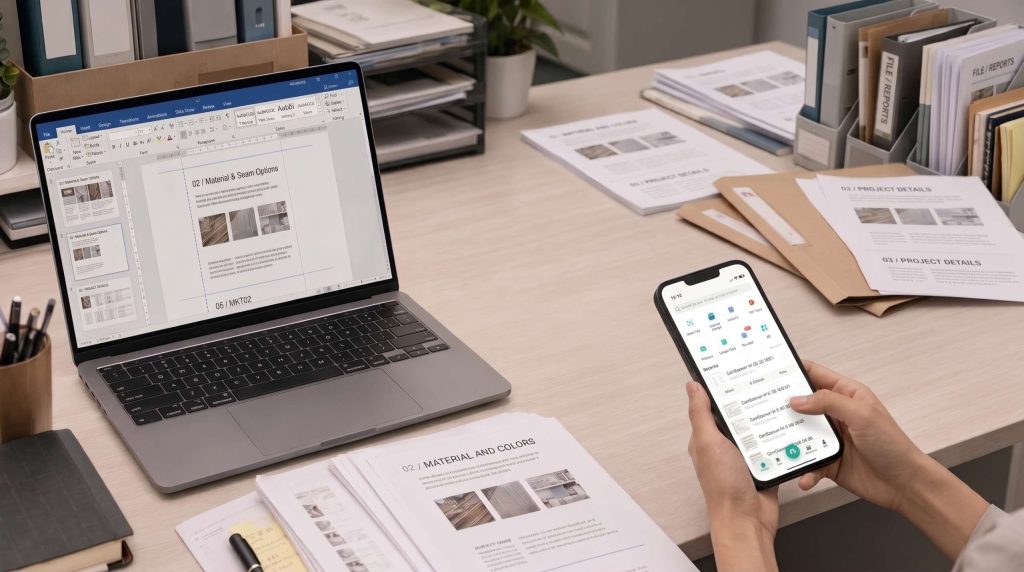
Meta Description: Discover how CamScanner goes beyond traditional document scanning with AI image enhancement, OCR text recognition, PDF editing, file format conversion, cloud sync, and smart AI tools to boost daily work and study efficiency.
Introduction: Once the Scan Is Done, the Real Work Begins
You snap a photo of a contract that needs signing, scan a textbook chapter to review later, or save an important receipt for an expense report. The document is now digitized—but the work is far from over.
You may still need to extract text, edit the PDF, convert file formats, organize related records, or share the file with others and continue working on another device. In many cases, capturing the page is the easiest part; putting that information to real use is what matters next.
Traditional scanning tools primarily solve one problem: turning paper into digital files. Modern document workflows, however, demand much more than creating a static digital copy. Users need to search information, modify content, manage records, and move documents seamlessly across devices without starting from scratch every time.
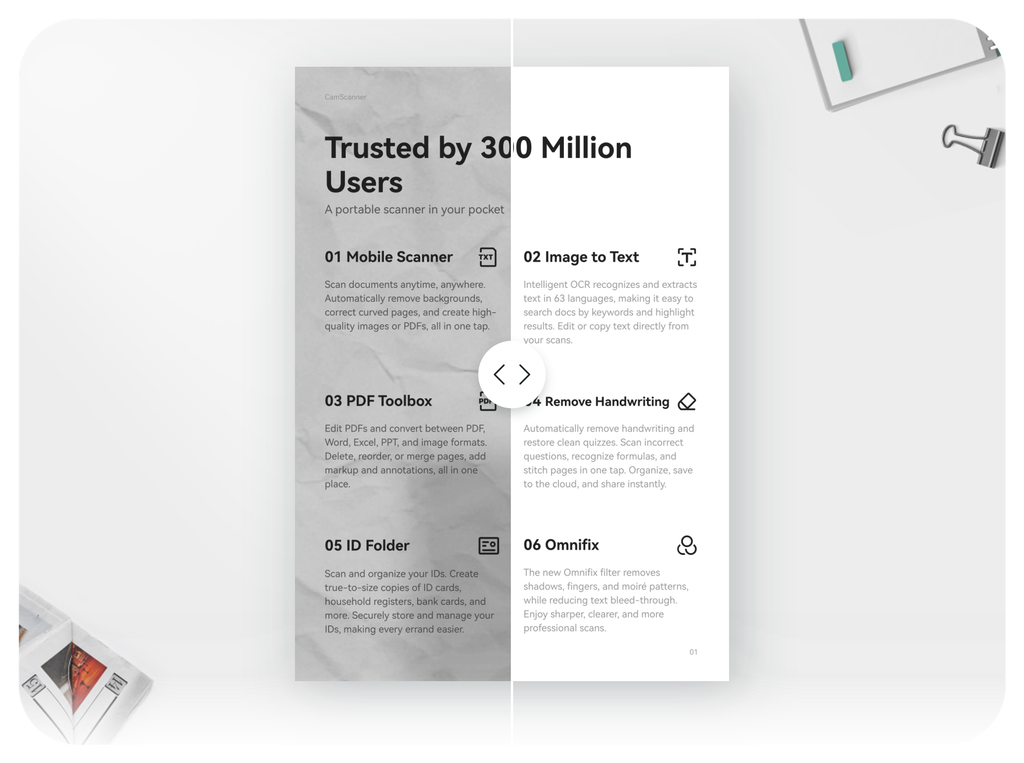
This is the direction CamScanner continues to build toward. With over 300 million users worldwide, CamScanner has evolved over the past 16 years from a basic mobile scanner into a comprehensive productivity workspace that brings document capture, processing, management, and AI capabilities together.
Our goal is no longer just to scan a document—it is to help people get more out of the information they capture.
1. A Better Starting Point: Turning Paper Documents into Usable Information
An efficient document workflow begins with reliable information capture. A quick photo of a page does not automatically make a usable digital document—especially when dealing with curved pages, poor lighting, shadows, or cluttered backgrounds.
CamScanner pairs multi-page batch scanning with AI image enhancement to solve these everyday scanning challenges. Users can continuously scan documents, books, and ID cards while relying on automatic edge detection, cropping, and perspective correction to produce clean, well-aligned digital pages.
Image enhancement features also remove common visual distractions such as shadows, glare, finger obstructions, and bleed-through text from the reverse side of a page, resulting in crisp files ready for reading, sharing, and archiving.
This focus on real-world image processing is a core pillar of CamScanner’s Deep Image Intelligence technology. In February 2026, an announcement published on PR Newswire highlighted how this technology combines document structure recognition, image correction, and OCR to improve recognition accuracy in challenging environments with uneven lighting and complex backgrounds.
Still, visual clarity is only the first step. Once a document is digitized, users need to be able to work with the information inside it.
CamScanner’s OCR technology recognizes text within scanned documents across 41 languages, turning static images into searchable content. Instead of flipping through pages manually to locate a specific name, date, or keyword, users can find relevant details immediately through text search.
This is especially valuable when digitizing lengthy textbooks, business contracts, lecture notes, and historical archives. When scanned content can be recognized and retrieved on demand, the value of the entire document library multiplies.
Clear scanning preserves information; OCR makes it usable.
2. From Static Files to Ready-to-Use Work Documents
After scanning is complete, the next question is simple: what else can these files do?
Upon receiving a PDF, you might need to sign it before submission, insert pages before sharing, or add annotations ahead of a meeting. A scanned report may need to be converted into an editable Word document, while financial figures inside a PDF might need to be extracted into Excel for further analysis.
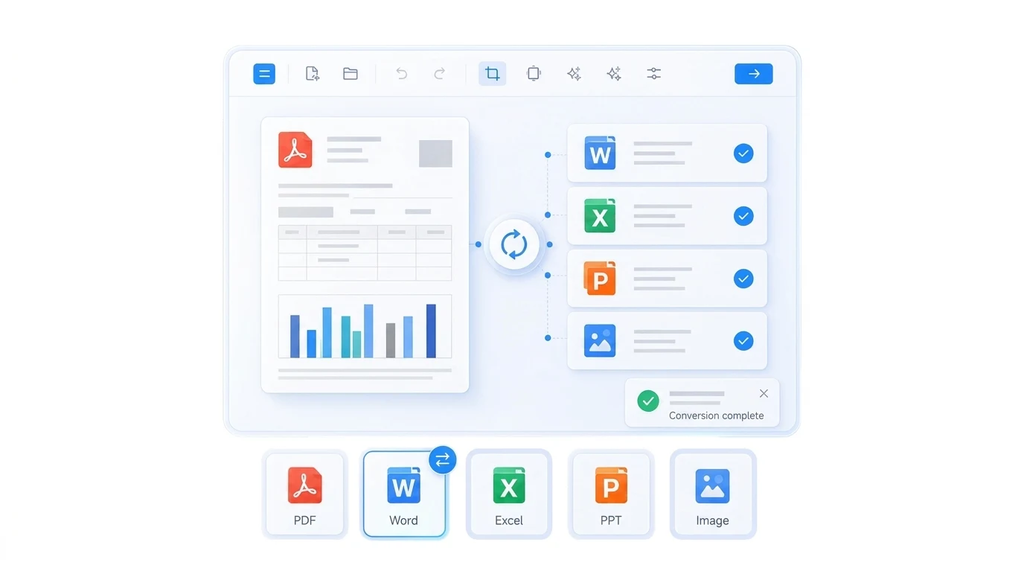
These are routine workplace tasks, yet switching between separate apps for each step creates unnecessary friction and wasted time.
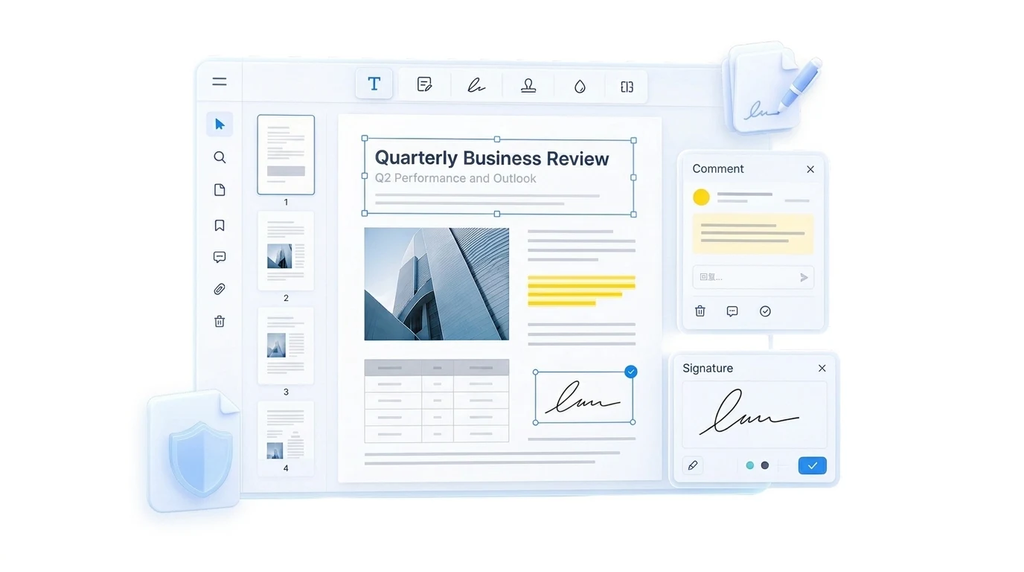
CamScanner brings these document operations into a single workflow through built-in PDF editing and format conversion tools.
Users can merge multiple PDFs, split files, reorder or delete pages, add annotations and watermarks, and apply electronic signatures when preparing documents for different purposes. PDF compression also helps reduce large file sizes, making documents easier to share and submit.
For workflows requiring different file formats, CamScanner supports conversion between PDF, Word, Excel, PowerPoint, and JPG. Users can adapt documents to fit the task at hand without manually retyping content.
For example, an employee who receives a scanned contract can convert it to Word for revisions, export a final report as a PDF for distribution, or extract tabular data into Excel for follow-up calculations.
CamScanner’s value beyond basic scanning is also reflected in real-world user experiences. One educator who digitized years of meeting notes and teaching materials highlighted how OCR made handwritten notes searchable and editable, allowing extracted text to be reused directly across emails, documents, and presentations. It illustrates how scanning serves as the starting point for a far more practical workflow.
The distinction matters: scanning a page does not mean the job is done. Digital documents only become ready-to-use work assets when users can edit, organize, convert, and share them according to real needs.
【Edit PDF Now】 →3. Documents Should Follow Your Work Rhythm, Not Hold You Back
Work rarely happens on a single device or in one location.
A student might scan lecture notes on a phone, review them on a laptop, and share selected pages with classmates. A business professional might capture a signed agreement during a client meeting, refine the PDF later on a computer, and send the final version to colleagues.
When documents remain trapped on one device, these transitions become unnecessarily cumbersome.
CamScanner’s Cloud Sync feature connects these stages of work. Once Cloud Sync is enabled, users can synchronize and access their documents across supported devices, including phones, tablets, and computers. Cloud backup helps safeguard important files, while document search, organization, and sharing tools make information easy to locate and pass along.
Consider a simple workflow: you scan a contract during a meeting, let it sync, open it on your computer to review the details and make necessary PDF edits, and send it out via email or WhatsApp.
Instead of manually transferring files back and forth between devices, you can keep working inside a connected document environment.
As renowned tech outlet TechCrunch once praised CamScanner for its performance in mobile productivity, noting that through cloud synchronization and cross-platform collaboration, it turns smartphones from isolated camera tools into efficient document hubs seamlessly integrated into everyday desktop workflows.
This is a vital part of document productivity. The value of a digital document should never depend on which device captured it first. As people switch tasks, screens, and workspaces, their documents should remain accessible and ready to use.
4. When AI Pushes Document Productivity Beyond Traditional Scanning
Digitizing a document is only the beginning. Once information is in digital form, users often need to translate unfamiliar languages, handle complex visual materials, verify image authenticity, or restore and repurpose old photographs—needs that go well beyond traditional scanning tools.
CamScanner addresses these broader visual and informational demands through an expanding suite of AI capabilities, helping digital documents deliver value across a wider range of scenarios.
For instance, when working with foreign-language visual materials, users can rely on AI Photo Translation to translate text directly inside images without manual retyping. When capturing oversized materials such as architectural blueprints or artwork, Mega Scan uses AI stitching to combine segmented shots into one complete, cohesive image.
AI also opens new possibilities for image analysis and authenticity verification. AI Tamper Detection and Photoshop Detection help users identify potential signs of alteration in an image, while AI Image Detector helps assess whether an image was generated or modified by AI. Built on CamScanner’s Deep Image Intelligence foundation, these capabilities are particularly valuable in business documentation, identity verification, and other scenarios where document reliability is critical.
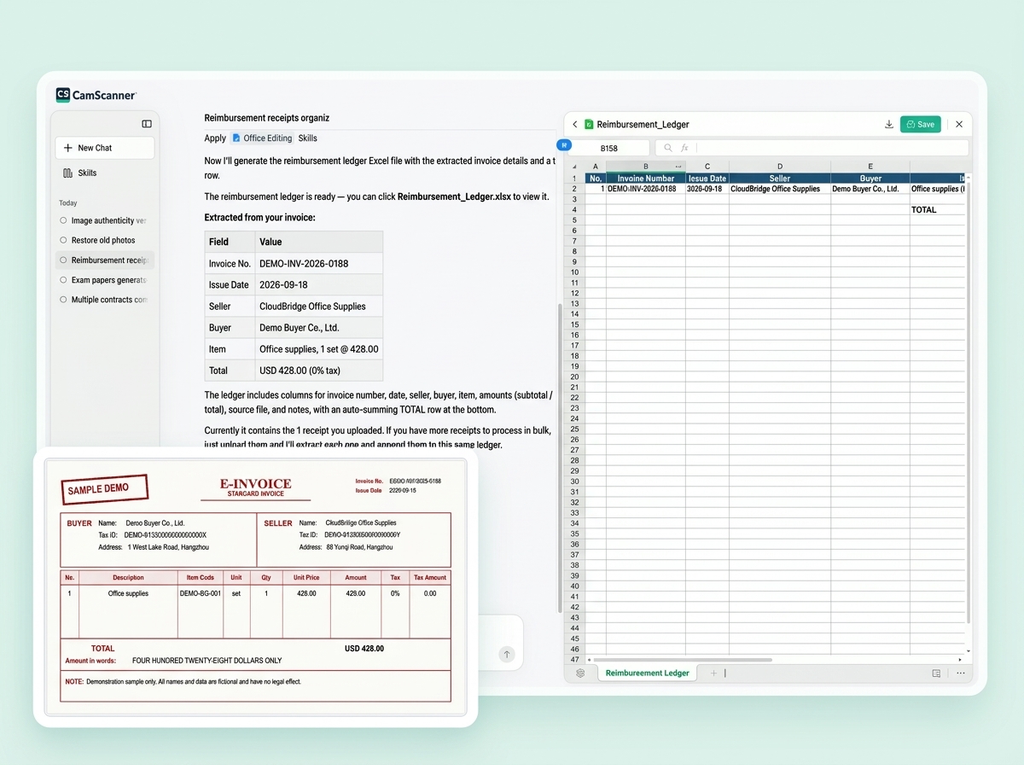
Beyond analysis, AI also helps users get more out of existing visual assets. Old Photo Restoration improves damaged or faded photographs, while CountCam extends image processing to visual counting tasks. Meanwhile, E-signature carries document workflows through to real-world execution by enabling digital document signing.
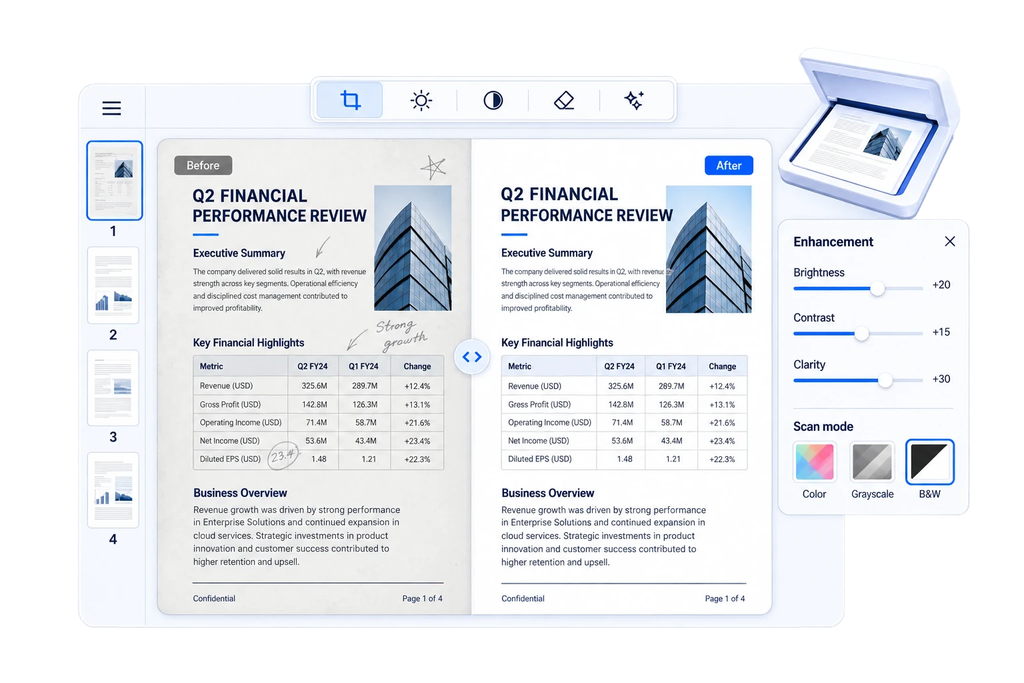
Together, these features reflect a broader shift in document productivity tools: moving beyond capturing, saving, and filing pages toward translating, analyzing, restoring, and processing digital information in smarter ways.
That is how AI enables CamScanner to move past the boundaries of a traditional scanner.
5. One Document Workflow for Diverse Real-World Needs
Looking at how a unified document workflow fits into everyday routines makes its value even clearer. While students and professionals face different demands, both need reliable ways to capture, retrieve, process, and share information.
For Students: From Study Materials to Academic Applications
Students manage textbooks, lecture notes, handouts, assignments, and administrative paperwork on a daily basis. When these materials are scattered across paper folders, phone camera rolls, and separate apps, staying organized quickly becomes a challenge.
CamScanner helps students digitize study materials, make scanned text searchable via OCR, and organize multi-page files into easy-to-navigate PDFs. With CS AI, students can also summarize lengthy documents and extract key takeaways to study more efficiently.
In September 2026, a Back to Campus report published on PR Newswire highlighted how students combine 41-language OCR with CS AI on PC to review coursework, understand multilingual materials, and prepare internship and job applications.
This reflects a shift in how students use scanning tools: rather than simply storing static copies of textbooks and notes, they turn those materials into searchable, reusable learning resources.
For Professionals: From Paperwork to Connected Workflows
Professional work involves a continuous flow of contracts, invoices, receipts, reports, and supporting records. Keeping these files accessible and adapting them to changing business needs can easily consume hours of valuable time.
CamScanner helps professionals digitize paper documents, extract information through OCR, edit and convert PDFs, and sync files across devices. Users can merge multiple documents into structured records, while digital signatures and sharing tools keep everyday business processes moving forward.
While tax preparation is one clear example, the underlying challenge is common across industries: critical information is often scattered across different documents and file formats.
By unifying scanning, text recognition, PDF tools, and cloud access, CamScanner reduces repetitive document handling and makes key information easier to find when it is needed most.
Thanks to this end-to-end integration, renowned productivity outlet Lifehacker once recommended CamScanner as a core mobile document tool, recognizing its strong performance in HD scanning, OCR text recognition, and PDF management to help professionals eliminate tedious paper filing.
Whether preparing for exams, reviewing contracts, organizing business records, or managing financial paperwork, the core principle remains the same: documents should help people get work done—not become another chore to manage.
Conclusion: Beyond Scanning, Toward Smarter Productivity
Scanning should never be the end of a document workflow.
From capturing crisp pages and making scanned text searchable to editing PDFs, converting file formats, syncing across devices, and leveraging AI for more complex tasks, true document productivity is defined by what you can do after the scan.
CamScanner brings these capabilities together into a connected experience, helping people turn paper documents into usable information and static files into real-world action.
With more than 16 years of innovation and over 300 million users worldwide, CamScanner continues to evolve far beyond its roots as a mobile scanning tool.
CamScanner goes beyond scanning—helping everyone unlock the full value of the information they capture.
Frequently Asked Questions (FAQ)
1.Is CamScanner only a document scanning app?
No. Beyond document scanning, CamScanner offers OCR text recognition, PDF editing, file format conversion, cloud sync, electronic signatures, and AI-powered tools for image processing and document tasks.
2.Can CamScanner convert scanned documents into editable files?
Yes. CamScanner’s OCR technology recognizes text in scanned documents and supports converting files into formats such as Word and Excel, depending on the source file and conversion feature used.
3.Can I access my CamScanner documents across different devices?
Yes. Once Cloud Sync is enabled and you sign in with the same account on supported devices, you can sync and access your documents across phones, tablets, and computers.
4. Who can benefit from CamScanner’s document productivity tools?
Students can use CamScanner to digitize textbooks, organize lecture notes, and prepare academic applications. Professionals can use it to manage contracts, invoices, reports, and other business records. Its scanning, OCR, PDF, cloud sync, and AI capabilities support a wide range of everyday workflows.
Ready to unlock more value from every document?
Visit the CamScanner Official Website, or download CamScanner on the App Store or Google Play today to experience HD scanning, OCR text recognition, PDF editing and conversion, Cloud Sync, and smart AI tools in one connected workspace—so your documents truly keep pace with the way you work.
Sources & References
- CamScanner Official Website & Product Documentation: Official overview of global user base (300M+), 16+ years of product evolution, and core capabilities (41-language OCR, PDF editing and conversion, Cloud Sync, AI image enhancement, and smart AI tools) — https://www.camscanner.com/
- PR Newswire (February 2026 Announcement): Official press release covering CamScanner’s Deep Image Intelligence technology and image authenticity verification capabilities (AI Tamper Detection, Photoshop Detection, and AI Image Detector) — https://www.prnewswire.com/
- PR Newswire (September 2026 Announcement): Official Back to Campus press release highlighting student workflows combining 41-language OCR and CS AI on PC — https://www.prnewswire.com/
- TechCrunch: Media coverage highlighting CamScanner’s mobile productivity, cloud synchronization, and cross-platform collaboration capabilities — https://techcrunch.com/
- Lifehacker: Editorial review recognizing CamScanner’s mobile HD scanning, OCR text recognition, and PDF management efficiency — https://lifehacker.com/