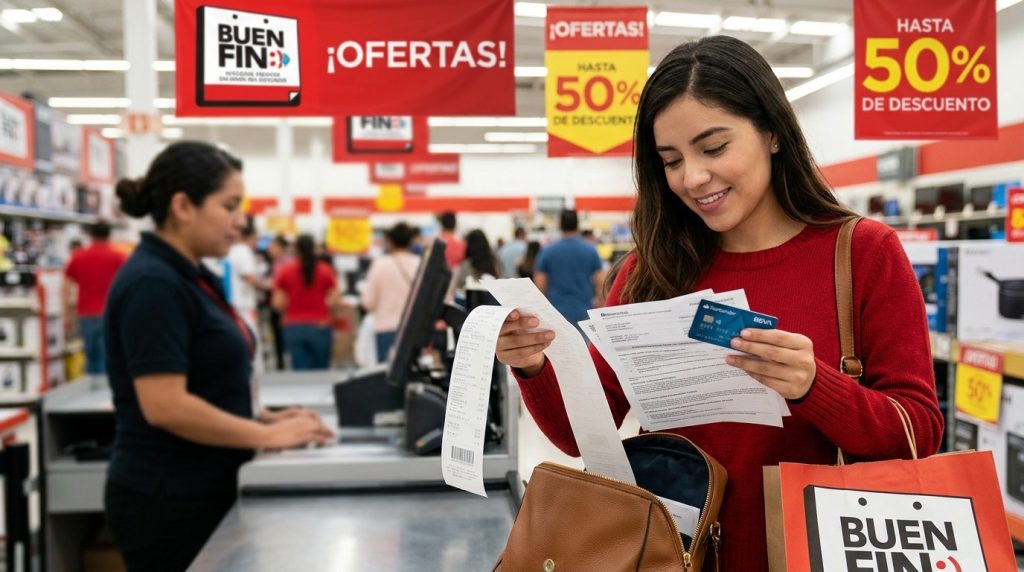
Meta Description: Get ready for El Buen Fin 2026 in Mexico. Learn how to review your bank account, understand credit card statements, compare MSI promotions, prepare banking documents, and organize payment records with CamScanner.
Last Updated: November 10, 2026
Introduction
El Buen Fin 2026 will take place from November 13 to 17 in Mexico. During this five-day shopping event, participating retailers offer promotions on electronics, household appliances, clothing, and other products. Consumers can also find special banking promotions, including credit card discounts, cashback, and meses sin intereses (MSI).
However, taking advantage of these offers requires more than having a bank card ready. An expired card, insufficient available credit, an overlooked payment deadline, or an unfamiliar transaction can turn a promotional purchase into an unnecessary financial problem.
Preparing for El Buen Fin means reviewing your banking information, understanding your credit card statement, checking promotional conditions, and keeping important financial documents accessible.
This guide covers the banking checks and procedures worth completing before El Buen Fin, the documents you may need, and how CamScanner can help you manage financial records before, during, and after the shopping event.
1. Review Your Bank Account and Payment Information
Before shopping, check whether your existing bank accounts and payment cards are ready for transactions. Some issues can be resolved through mobile banking, while others may require contacting your bank.
Check your card’s expiration date.
Review the expiration dates on your debit and credit cards. If a card is about to expire, contact your bank to confirm the replacement process. If you have received a new card, follow the bank’s activation instructions and check whether your saved online payment information needs updating.
Update your registered contact information.
Your bank may use your registered mobile number and email address to send transaction notifications, verification codes, and account-related communications.
If your contact details have changed, check your bank’s official procedure for updating them. Some institutions allow online updates, while others require additional identity verification.
Review your available balance and credit limit.
For a debit card, check your available account balance. For a credit card, distinguish between your total credit limit and your available credit.
For example, if your credit limit is MXN 30,000 and you already have MXN 12,000 in outstanding transactions, you should not assume that the entire MXN 30,000 is available for new purchases.
Test your mobile banking access.
Make sure you can log in to your bank’s application, review transactions, access card-management functions, and receive security notifications.
Resolve pending banking issues.
If you need to replace a damaged card, update personal information, or clarify a previous transaction, contact your bank before the shopping event. Some procedures involve identity verification or additional processing time.
You do not need to request a credit limit increase simply to participate in El Buen Fin. The priority is making sure your existing payment methods work and that your spending remains within your repayment capacity.
2. Understand Your Credit Card Statement and Payment Deadlines
Your estado de cuenta de tarjeta de crédito is one of the most important documents to review before El Buen Fin. It shows your outstanding balance, payment deadline, and how your purchases affect your credit obligations.
CONDUSEF identifies several important terms that Mexican credit card users should understand.
| Spanish Banking Term | Meaning |
| Fecha de corte | The date when the bank closes the billing period and records the transactions included in the statement. |
| Fecha límite de pago | The last date to make the required payment for that billing period. |
| Pago mínimo | The minimum amount required to keep your account current. Paying only this amount can make your debt more expensive over time. |
| Pago para no generar intereses | The amount that must be paid by the deadline to avoid interest on the applicable balance, including the installment amounts due under MSI promotions. |
| Saldo al corte | The balance calculated at the end of the billing period. |
| Límite de crédito | The maximum credit amount assigned by your bank. |
The difference between pago mínimo and pago para no generar intereses is particularly important.
For example:
Suppose your credit card statement shows:
- Pago mínimo: MXN 800
- Pago para no generar intereses: MXN 5,000
- Fecha límite de pago: November 20
Paying MXN 800 may keep your account current, but it does not mean you have avoided interest on the remaining applicable balance.
If your goal is to avoid interest on regular purchases, you generally need to pay the stated pago para no generar intereses by the deadline, while meeting the installment obligations shown on your statement.
Before El Buen Fin, take these steps:
- Download your latest credit card statement.
- Identify your billing closing date and payment deadline.
- Review outstanding purchases and existing MSI installments.
- Calculate how much you will need to pay over the coming months.
- Set aside enough money for planned purchases and existing obligations.
Understanding these figures can help you avoid taking on more credit card debt than you can comfortably repay.
3. Prepare Documents for Banking Procedures
Some banking services require customers to provide documents to verify their identity, address, or financial situation.
If you plan to update account information, request a credit limit review, replace a card, or resolve a banking issue, check the specific documentation requirements beforehand.
Depending on the institution and procedure, you may need:
| Document | Spanish Name | Possible Purpose |
| Official identification | INE vigente | Identity verification |
| Proof of address | Comprobante de domicilio | Confirming your registered address |
| Proof of income | Comprobante de ingresos | Supporting certain credit-related applications |
| Bank statement | Estado de cuenta bancario | Reviewing account or financial information |
| Transaction receipt | Comprobante de pago | Supporting a payment clarification |
Not every banking procedure requires all these documents. For example, updating your mobile number may involve a different verification process from requesting a credit limit adjustment.
If you are considering a credit limit review, first ask your bank whether applications are accepted through its mobile app or require additional documents. The bank may evaluate your income, payment history, existing debts, and repayment capacity. Approval is not guaranteed.
Digitize your documents with CamScanner.
If you have paper documents, you can prepare digital copies for personal recordkeeping:
- Open CamScanner and select the document scanning function.
- Scan your INE, proof of address, or other required paperwork.
- Use Auto Crop and Enhance to improve document framing and readability.
- Review the scanned pages to make sure important information is visible.
- Export the documents as PDFs and give them descriptive file names.
For example, use INE_2026, Comprobante_Domicilio, and Estado_Cuenta_Octubre.
Digital copies make documents easier to organize and retrieve, but always confirm whether your bank accepts scanned copies or requires original documents or a specific submission format.
4. Compare El Buen Fin Promotions and Understand Meses Sin Intereses
One of the most attractive features of El Buen Fin is the opportunity to purchase products through meses sin intereses.
However, an MSI promotion is not automatically the cheapest option. Before choosing a payment method, compare the final price, monthly commitment, and promotional requirements.
Check these five conditions before purchasing:
- Participating bank and card: Confirm whether your specific credit card qualifies.
- Minimum purchase amount: Some promotions require a minimum transaction value.
- Participating retailer: Verify that the store or online seller is included.
- Installment period: Check whether the offer applies to 3, 6, 9, 12, or more months.
- Additional conditions: Some promotions require a particular checkout process or payment method.
Understand how MSI affects your monthly payments.
Suppose you purchase a refrigerator for MXN 12,000 through a 12-month MSI promotion.
Your monthly installment would be:
MXN 12,000 ÷ 12 = MXN 1,000.
Although the qualifying purchase does not carry interest under the promotion, the MXN 1,000 monthly installment remains part of your payment obligations.
If you already have other MSI purchases, their monthly installments must also be considered when reviewing your credit card statement.
Compare the final price, not just the monthly payment.
Imagine two retailers offer the same television:
- Retailer A offers a direct discount, reducing the price from MXN 15,000 to MXN 13,500.
- Retailer B offers 12 MSI at the original price of MXN 15,000.
Retailer B allows you to spread the payment over 12 months, but Retailer A offers a lower total price.
Neither option is automatically better for every consumer. Consider your savings, monthly budget, and repayment capacity.
Before completing the purchase, save the promotional terms and transaction confirmation. These records can help if the applied installment plan or charged amount does not match the advertised conditions.
5. Protect Your Payments and Know How to Handle Banking Problems
During El Buen Fin, you may make more online purchases, use different payment methods, and receive multiple transaction notifications. Knowing how to protect your account and respond to suspicious activity is essential.
Activate transaction notifications.
If your bank offers purchase alerts, enable them so you can monitor card activity. These notifications can help you identify unfamiliar transactions more quickly.
Review your card security settings.
Check whether your bank allows you to temporarily lock your card, manage online transactions, or configure transaction limits through its mobile application.
Use official banking channels.
Avoid clicking unfamiliar links in messages claiming that your bank account will be blocked or that you need to verify a promotional reward. Access your account through your bank’s official application or website.
Never share your PIN, CVV, password, or one-time verification codes.
Know what to do about unrecognized charges.
If you notice a transaction you did not authorize:
- Contact your bank immediately through its official customer service channel.
- Report the transaction and ask whether your card should be blocked or canceled.
- Submit a clarification request through the bank’s designated procedure.
- Keep the complaint acknowledgment, reference number, and supporting evidence.
- Follow the bank’s investigation process and monitor your account.
In Mexico, consumers can contact their bank’s Unidad Especializada de Atención a Usuarios (UNE) to submit a formal complaint.
If the bank does not resolve the issue, you can seek assistance from CONDUSEF. Keep your bank’s complaint reference number and relevant transaction records when submitting your case.
For SPEI transfers, keep your Comprobante Electrónico de Pago (CEP).
If you make a bank transfer through SPEI, Banco de México provides an official service for obtaining and verifying the CEP.
This electronic document contains payment information and a digital seal that helps verify the transaction. You may need details such as the transaction date, tracking number, participating banks, beneficiary account, and payment amount to retrieve it.
Keeping the CEP together with your purchase confirmation can help you document a transfer when a payment needs to be checked.
6. Organize Your Banking Documents and El Buen Fin Receipts with CamScanner
Preparing banking documents before the shopping event is only the first step. After El Buen Fin, you may also need to review purchases, check refunds, confirm installment payments, or provide evidence for a transaction clarification.
A simple digital filing system can help prevent important records from getting lost among email attachments, phone screenshots, and paper folders.
Organize your documents into five categories:
| Folder | Documents to Keep |
| Personal Identification | INE and supporting identity documents |
| Banking Records | Relevant bank statements and account documents |
| El Buen Fin Purchases | Purchase receipts, invoices, and order confirmations |
| MSI Payments | Promotional terms and installment confirmations |
| Transactions and Complaints | SPEI confirmations, refund records, and complaint reference documents |
CamScanner can help you maintain these records.
Scan paper receipts and documents. Turn printed purchase receipts, bank statements, and supporting paperwork into digital files.
Improve document quality. Use Auto Crop and Enhance to adjust document framing and improve readability.
Recognize text with OCR. Make information in supported scanned documents easier to search and reference.
Export PDFs. Keep multi-page documents together instead of saving individual pages separately.
Protect sensitive PDFs. Use Password Protection to add an extra layer of protection to documents containing personal information.
Access synchronized files. Enable Cloud Sync to access synchronized documents across supported devices.
For financial privacy, avoid scanning or storing passwords, PINs, CVVs, and one-time verification codes. Only synchronize sensitive documents to storage you trust, and avoid sharing financial records through unsecured channels.
With a consistent filing system, you can find the right receipt, statement, or payment confirmation more easily when reviewing your El Buen Fin spending.
Conclusion
Preparing for El Buen Fin means more than checking your credit card balance or looking for attractive discounts. It involves reviewing your banking information, understanding your credit card statement, checking MSI conditions, preparing documents for pending procedures, and knowing how to handle unexpected transactions.
Taking these steps before November 13 can help you avoid unnecessary payment complications and make more informed purchasing decisions.
With CamScanner, you can digitize identification documents, bank statements, purchase receipts, and payment confirmations, then organize them into accessible PDF files. It is a practical way to keep your financial records manageable before, during, and after El Buen Fin.
Get your banking documents ready for El Buen Fin with CamScanner.
Frequently Asked Questions (FAQ)
1. When is El Buen Fin 2026 in Mexico?
El Buen Fin 2026 will take place from November 13 to 17, according to the official event website.
2. What documents should I prepare for banking procedures before El Buen Fin?
Depending on the procedure, your bank may request an INE, proof of address (comprobante de domicilio), proof of income (comprobante de ingresos), or a bank statement (estado de cuenta). Requirements vary by institution.
3. Should I increase my credit card limit before El Buen Fin?
Not necessarily. First review your available credit and repayment capacity. If you want to request a higher limit, check your bank’s eligibility criteria and application procedure.
4. What should I check before using meses sin intereses during El Buen Fin?
Verify the participating bank, eligible card, minimum purchase amount, retailer, installment period, and payment conditions. Also consider how existing installment payments affect your monthly budget.
5. How can I organize my banking documents and El Buen Fin receipts?
You can use CamScanner to digitize paper documents, improve scan quality, recognize text with OCR, export PDFs, and organize financial records into clearly named folders.
Sources & References
- El Buen Fin. Preguntas Frecuentes – El Buen Fin 2026.
https://www.elbuenfin.org/preguntas-frecuentes
Official information about the 2026 event dates, participating businesses, promotions, and consumer participation. - Comisión Nacional para la Protección y Defensa de los Usuarios de Servicios Financieros (CONDUSEF). Toma en cuenta de tu estado de cuenta.
https://www.condusef.gob.mx/?idc=1718&idcat=3&p=contenido
Explains key credit card statement terms, including minimum payments, payment deadlines, statement closing dates, and payments to avoid interest. - CONDUSEF. ¡No te sobreendeudes! con los meses sin intereses.
https://www.condusef.gob.mx/?idc=890&idcat=1&p=contenido
Provides guidance on using interest-free installment plans responsibly, comparing prices, checking promotional conditions, and avoiding excessive debt. - CONDUSEF. ¿Cargos no reconocidos?
https://www.condusef.gob.mx/?idc=1731&idcat=3&p=contenido
Outlines the steps consumers should take when they identify unauthorized card transactions, including contacting their bank and submitting a complaint to its specialized customer service unit (UNE).